


Minecraft: Dream it, Build it!
4.3634.59K Reviews
App Specs
- Version
- 1.26.45.1
- Updated On
- License
- $6.99
- Downloads
- 50,000,000+
- Developer
- Mojang
- Categories
- Arcade
- Platform
- Android, iOS
Screenshots
 Analysis by AppCompare
I tend to judge a mobile game by how quickly it gets me into the part I actually want to play. With Minecraft, that depends on what I feel like doing: I can head out to gather materials, shape a base, or simply wander and see what the world turns up. It is an arcade game from Mojang, but it is less about a quick score than making my own goals and deciding when a session feels complete.
How quickly the game gets going
The basic loop is easy to understand: collect blocks, make useful things, and use them to change the world around you. That simplicity makes it approachable, though the open-ended start can leave a new player wondering what to prioritize. I found it helps to choose one small first task, such as gathering enough wood to make tools and a modest shelter, rather than trying to plan an elaborate build immediately.
There is a meaningful difference between a short visit and a longer session. A few minutes can be enough to tidy a room or gather nearby supplies, but exploration and ambitious construction reward more time. I would not pick this when I need a tightly directed round with a clear finish; I would pick it when I want to set my own pace and can stop after reaching a natural checkpoint.
When a world gets demanding
Busy moments tend to come from what I choose to do. Digging into an unfamiliar cave, fighting hostile creatures, and moving resources back to a base all ask for more attention than placing blocks in a familiar build. On a phone or tablet, touch controls can also make precise placement and quick reactions feel less effortless than playing with a controller or keyboard. I’d take a moment to get comfortable with the controls before risking valuable equipment far from home.
A useful habit is to keep a simple route in mind: carry only what I need, mark recognizable landmarks, and return to a safe spot before pushing farther. That is not just a survival tactic; it also makes mobile sessions easier to resume. If I have only a short break, a nearby building task is a better fit than starting a long cave trip that I may need to interrupt.
Stability, continuity, and device fit
I think of this as a substantial game rather than a tiny arcade download: its worlds invite long-term building and exploration, so available storage and the age of a device are sensible things to consider. The minimum operating-system requirement is Android 8.0, and the current version is 1.21.132.1. A compatible operating system is a starting point, not a promise that every device will feel equally smooth, especially during visually busy play or in a large, developed world.
Because a world can represent many hours of work, I would make a habit of leaving sessions cleanly and keeping important creations organized. That is practical advice for any game built around continuing projects: decide where a build belongs, avoid quitting in the middle of a risky expedition, and give yourself a clear stopping point. If performance feels inconsistent, reducing what is happening on screen and testing a simpler area can help identify whether a crowded scene is the issue, without assuming that every slowdown has the same cause.
Worth Reading Before You Choose

EA SPORTS FC Mobile 26 Is a Bigger Football Game, but It Takes Time

Flipboard Shows What News Apps Must Do Beyond the Feed

Switching to Android Auto Means Rethinking Your Driving Routine

Google Calendar Makes a Crowded Week Easier to Manage

Ludo King Makes the Most of the Minutes Between Plans

Baby Panda World Brings Quick Play to Modern Phones, but Its Game Library Feels Busy
The mobile edition costs $6.99, with optional in-app purchases ranging from $0.99 to $49.99 per item. I would treat the purchase as a paid game first and decide separately whether any optional extras matter to me. Its Everyone 10+ age rating is also worth checking against the preferences of the person who will play, particularly because exploration and combat are part of the experience.
What the open world is like to play
If you’ve ever wanted to unleash your inner architect while exploring vast, pixelated worlds, then Minecraft might just be your digital playground. I’ve spent the past few days diving deep into this blocky universe, and let me tell you, it’s been a wild ride of creativity and exploration!
First Impressions and Getting Started
When you first launch Minecraft, it feels like stepping into a realm of endless possibilities. The game doesn’t hold your hand with a strict tutorial, which can be both liberating and daunting. Jumping in, I was greeted by an infinite landscape, filled with towering mountains and deep oceans, all crafted from blocks that I could manipulate. The freedom to carve out my own path was exhilarating.
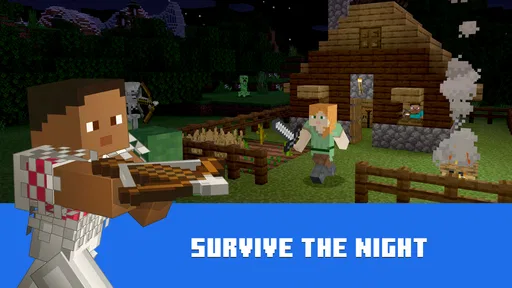
What’s amazing is how the world is procedurally generated, meaning every time you start a new game, you’re dropped into a completely unique environment. This makes every playthrough a fresh experience. I started by gathering basic resources like wood and stone, which are essential for crafting tools and building shelters. It’s all about survival at first, especially when night falls, and the infamous creepers come out to play.
Crafting and Building
One of the core elements of Minecraft is crafting. The game’s crafting system is intuitive yet deep. I found myself spending hours experimenting with different combinations to create everything from simple torches to complex machinery. As you gather more resources, the game really opens up, allowing you to construct anything your heart desires.
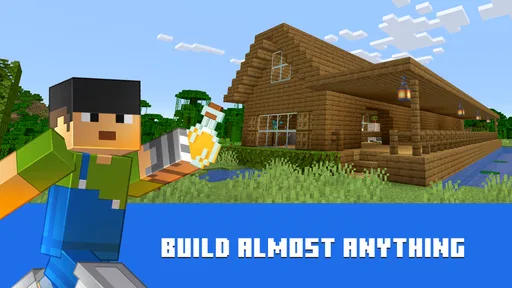
Building in Minecraft is where the game truly shines. The block-based system might seem simple, but it’s incredibly versatile. I started by constructing a small cottage by the sea, which quickly evolved into a sprawling fortress complete with a farm and a hidden underground lair. The only limits here are your imagination and perhaps your patience!
Exploration and Adventure
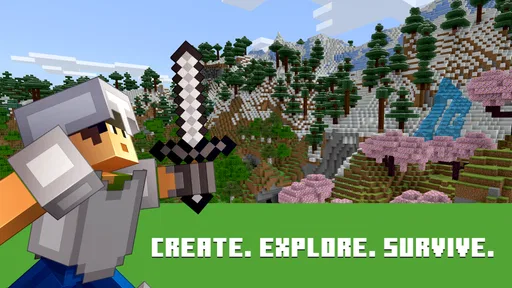
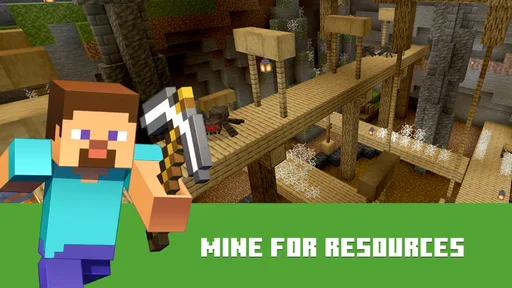
Beyond building, Minecraft offers a vast world to explore. I ventured into dark caves, battled skeletons, and discovered rare minerals like diamonds. With each new biome, from scorching deserts to lush jungles, the game kept surprising me with its diversity.
Adventure mode adds another layer to the game, focusing more on combat and survival. It’s a thrilling challenge, especially when you stumble upon a village or an ancient temple filled with traps and treasures. The thrill of discovery is a huge part of what keeps players coming back.
The Community and Mods
One of the standout features of Minecraft is its thriving community. Players around the globe share their creations and mods, enhancing the game in countless ways. From texture packs that make the world look like a retro RPG to mods adding entirely new gameplay mechanics, the community contributions are endless.
I dabbled with a few mods myself, adding some quality-of-life improvements and new biomes to explore. It’s fascinating how the community continually breathes new life into the game, ensuring it remains relevant and exciting even years after its initial release.
Choosing it over a quicker arcade game
Compared with arcade games built around brief, repeatable rounds, this one asks me to make my own entertainment. That is its biggest strength and its clearest trade-off. There is no single score to chase or fixed sequence that tells me I have finished; I can spend an evening refining a build, or return another day to explore somewhere new. If I want immediate action and a neatly bounded match, a conventional arcade title is a better choice. If I enjoy setting a personal project and watching it grow, Minecraft has far more room to hold my attention.
For a realistic weekday routine, I might spend a few minutes after dinner collecting nearby materials, then use a longer stretch on the weekend to build with them. Keeping a chest or a designated area for supplies makes that stop-and-start rhythm less frustrating. I also like deciding on a modest goal before opening the game—repair a path, finish a roof, or bring back a particular resource—because it gives a short session a satisfying end without turning play into a checklist.
Small habits that make longer projects easier
One easily overlooked trade-off is that creative freedom can make projects sprawl. Before starting a large structure, I find it useful to sketch its rough footprint with inexpensive blocks and check the proportions from a distance. That gives me a chance to change the shape before investing time in decorative details. For underground work, I try to keep a clear path back to the surface and avoid carrying every valuable item on a trip; a small mistake is less punishing when the return route and inventory are manageable.
Another useful approach is to separate gathering from building. A focused supply run is less distracting than constantly stopping a construction project to search for one missing material. I also take screenshots or leave simple landmarks when I am exploring, so a return trip is easier to plan. These are small routines rather than hidden mechanics, but they help make a sprawling world feel manageable on a handheld screen.
That flexibility is not equally appealing to everyone. Players who dislike open-ended goals, resource gathering, or occasional danger may find the early stretch more like work than play. A younger or less experienced player may also need someone nearby to explain what to make first, since the game’s freedom can be confusing before its patterns become familiar. I would choose a more guided adventure for someone who wants a strong story and steady instructions, and a quick arcade game for someone who mainly wants short bursts of action.
Who will get the most from it
The game suits creative players, patient explorers, and friends or family members who enjoy showing each other what they have made. It can also be a good fit for someone who likes tinkering: a small shelter can turn into a practical base, and a practical base can gradually become a personal project. On the other hand, people who want a low-cost free-to-start option should consider the upfront price, while anyone sensitive to touch-control precision should try a simple building task before committing to a demanding expedition.
There is a broad audience for it: the game has an average rating of 4.3 from around 5.6 million ratings, with more than 50 million installs and about 631,000 written reviews. Those figures suggest an established player base, but they do not guarantee that its unstructured style will suit every person. I would use them as context, then make the decision based on whether building, exploring, and managing my own goals sound enjoyable.
Final Thoughts
In conclusion, Minecraft is more than just a game; it’s a canvas for creativity and imagination. Whether you’re a seasoned player or a newcomer, the world of Minecraft offers something for everyone. The combination of survival elements, building, and exploration creates a compelling experience that’s both relaxing and thrilling.
So grab your pickaxe and get ready to dig deep into the wonders of Minecraft. Trust me, it’s an adventure you won’t want to miss!
My performance verdict
My overall impression is that the game’s pace is defined more by the activity and the device than by a constant demand for quick reactions. A modest building project is an easy place to settle in, while a crowded scene or a risky trip can feel more demanding. Since the Android minimum is version 8.0, I would check compatibility first and leave room on the device for a substantial game. I would not assume an older phone will handle every developed world equally well just because it can install the current version.
The practical question is whether I want a flexible world that can become a long-running hobby, rather than a lightweight diversion with instant rounds. At $6.99, the mobile game is a considered purchase, and optional per-item purchases add another possible cost. For me, its strongest value is the freedom to make a small session useful and a longer one memorable. I recommend it to curious builders who are happy to learn by trying things; if I wanted tightly directed missions, minimal resource management, or very brief arcade play, I would choose something else.
Pros
- Endless creativity options for all ages.
- Frequent updates keep the game fresh.
- Supports multiplayer for collaborative building.
- Intuitive controls enhance gameplay experience.
- Educational aspects promote problem-solving.
Cons
- Graphics may feel outdated to some players.
- In-app purchases can add up quickly.
- Initial learning curve for new users.
- Can be resource-intensive on older devices.
- Some features require constant internet connection.
FAQs for Minecraft: Dream it, Build it!
What platforms is Minecraft: Dream it, Build it! available on?
Minecraft: Dream it, Build it! is available on both Android and iOS platforms. You can download it from the Google Play Store for Android devices and the Apple App Store for iOS devices. Ensure your device meets the minimum system requirements for optimal gameplay.
Is Minecraft: Dream it, Build it! a free-to-play game?
Minecraft: Dream it, Build it! offers a free-to-play model with optional in-app purchases. While the core game experience is accessible without spending money, players can purchase additional items, skins, and resources to enhance their gameplay and customize their experience.
What are the main features of Minecraft: Dream it, Build it!?
The game allows players to explore infinite worlds and build everything from the simplest of homes to the grandest of castles. Features include a creative mode with unlimited resources, a survival mode with crafting and building, and multiplayer capabilities to connect with friends.
Can I play Minecraft: Dream it, Build it! offline?
Yes, you can play Minecraft: Dream it, Build it! offline in single-player mode. However, to access online multiplayer features or download additional content, you will need an internet connection. Ensure your game is updated to the latest version for the best experience.
Is there parental control or child safety features in Minecraft: Dream it, Build it!?
Minecraft: Dream it, Build it! includes parental controls to help manage in-game interactions and purchases. Parents can adjust settings to limit chat features, control friend requests, and manage in-app purchases, ensuring a safe gaming environment for children.


